Termination Submitted for Attestation
When you elect to attest to the termination of a covered entity submitted by the entity's  PC External user who is designated as a Primary Contact for an entity. This user can enter registrations and update entity information. This user can enter registrations, and update entity information. Any changes to an entity performed by the PC user must be attested to by the AO for that entity. during recertification , the Authorizing Official Signature section is appended below the Termination Information at the bottom of the Covered Entity Details summary page.
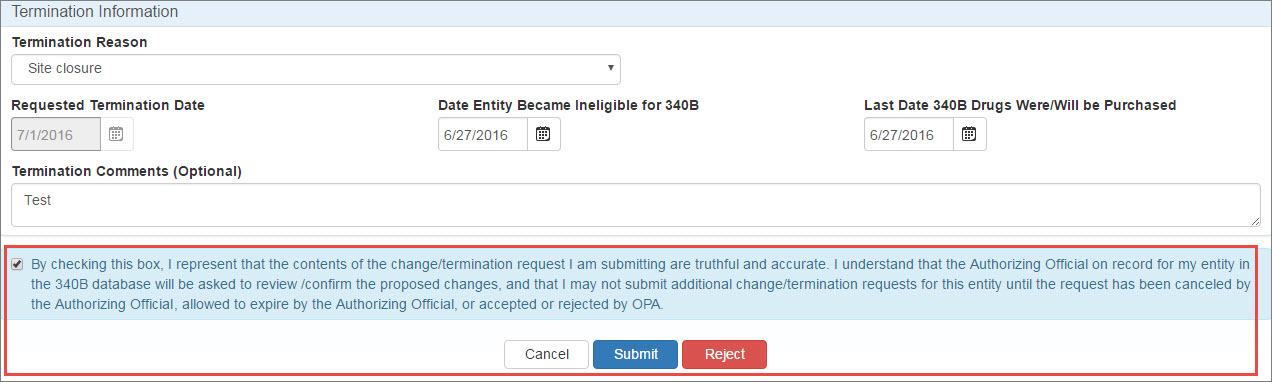
| Control | Description |
|---|---|
|
Termination Reason |
Select a reason from the drop-down list:
|
|
System populated with the first day of the next quarter (not editable). |
|
|
Date Entity Became Ineligible for 340B |
The date the entity became ineligible for continued participation in the 340B program. |
|
Last Date 340B Drugs Were/Will Be Purchased |
The date the entity discontinued or will discontinue purchasing drugs under the 340B program. |
|
Termination Comments (Optional) |
Any comments about the termination, such as requests for alternate dates, which would be helpful during approval. |
|
Checkbox |
"By checking this box, I represent that the contents of the change/termination request I am submitting are truthful and accurate. I understand that the Authorizing Official on record for my entity in the Select this box if you intend to submit the termination to OPA for approval. |
|
Cancel |
Exit from the attestation page without taking action. |
|
Submit |
Click this button to submit the termination to OPA for approval.
|
|
Reject |
This button is displayed if the termination was submitted by an entity's PC. Clicking this button will reject the termination and remove it from the My Tasks tab of My Dashboard. It will continue to be listed under My Entities with a 340B status of "Active." |
 340B Program
Rejected terminations of entities under recertification will be returned to the My Tasks tab of My Dashboard as pending recertifications.
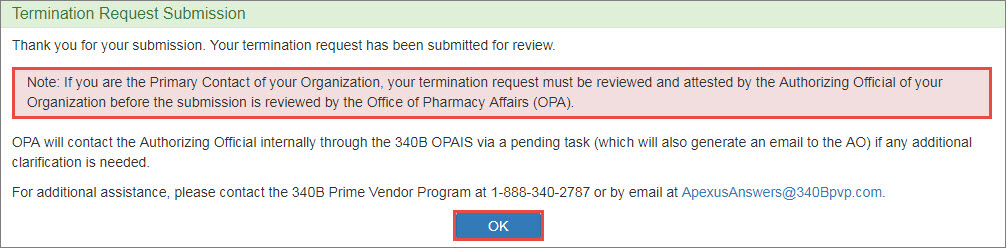
Upon clicking the Submit button, the system will display a confirmation message.
Click the OK button to return to the My Tasks tab of My Dashboard. After OPA approval, the termination will take effect on the first day of the next quarter.